
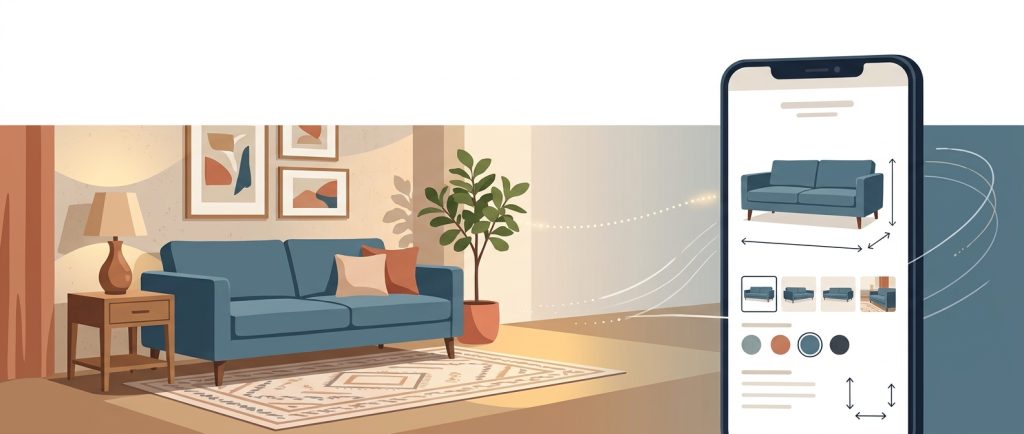
It’s 9:47 on a Tuesday night. The kids are finally asleep, and a woman who sat on your sofa last Saturday opens your website to look at it again. She remembers how the cushion gave just enough. She wants to see whether the fabric she touched comes in something that hides a golden retriever.
She finds one photo, taken against a white background. A paragraph that could describe any sofa in America. A price. No seat depth. No list of fabrics. No trace of the room your team spent an afternoon building around it.
She doesn’t call. She doesn’t complain. She opens a new tab, and within ten minutes she’s reading a competitor’s page that answers every question she has, possibly for the same sofa from the same maker.
That was a merchandising failure, and it happened without anyone on your team seeing it. On the floor, you would never let a customer stand in front of a bare sofa with no one to answer her. Online, it happens every night.
The good news is that you already know how to fix it. Everything that makes a great showroom work, from the first impression to the follow-up question to the honest delivery promise, translates to the screen. Here is how, with a shot list, an attribute checklist, and an audit you can run on your top ten products this month.
What is online visual merchandising for furniture retailers?
Online visual merchandising is your showroom craft translated for a screen. It has four parts: a first impression that stops the scroll, detail that stands in for touch, an edited assortment, and a delivery promise you can keep. Your website is the one showroom that never closes, and it should answer the questions your best associate would.
This matters even though most furniture still sells in stores. A sofa is a big-ticket, slow decision, and much of that deciding now happens on a phone between visits. In e-commerce usability testing by the Baymard Institute, 42% of users tried to judge a product’s size from its images, and in Baymard’s testing of furniture and home decor sites, most participants needed exact measurements to feel confident a piece would fit, and many abandoned a product when they couldn’t tell. In furniture, size is the question. A page that can’t answer it sends the shopper to a page that can.
The cost of a weak page doesn’t end at the lost click. In Salsify’s 2025 survey of 1,910 U.S. and U.K. shoppers, 71% said they had returned an item because the product content was incorrect. A returned sweater costs a postage label. A returned sectional costs a truck, a two-person crew, and the risk of damage on the way back.
Why is the hero image only the front door?
The hero image earns the click. The rest of the gallery closes the sale.
Think about what happens on your floor when someone falls for a dresser. Your associate opens a drawer and lets it glide shut. She runs a hand along the top so the customer notices the grain. She points out the felt-lined top drawer, and that small detail becomes the reason to buy.
Your product page has to do all of that without a voice. If the only image is a catalog front shot, you have asked the customer to imagine the rest. Some will. Many will buy from the retailer who showed them.
The seven-shot list. Give every hero product these seven images, in this order:
- The hero. Clean, true to color, the same angle across the category, so your grid looks curated rather than random.
- The room. The piece styled in a real setting that sells the feeling, ideally the vignette from your own floor.
- The scale shot. A person sitting on it, or the piece beside something familiar, so the shopper can picture it in her living room.
- The craft. Stitching, wood grain, joinery and hardware: the details that justify the price.
- The function. Drawers open, recliner extended, table leaf in, sleeper pulled out.
- The other sides. The back of a sofa that will float in a room, the side profile of a chair and the top of a dining table.
- The swatches. Every fabric and finish photographed in the same light and named exactly as your associates name it on the floor.
The insight independents miss is that your showroom is original content. Every retailer carrying a line uses the same vendor photos. Pictures of your own vignettes are the only images your competitors cannot copy. They make your page worth bookmarking and invite the shopper to come see the room in person.
One more check: open the page on your phone. Most furniture browsing now happens on mobile (69% of traffic to the top 100 furniture retail websites in mid-2021, per Similarweb), so if the hero doesn’t read at thumbnail size, the shopper will scroll past it.
How do product details replace touch online?
In the showroom, confidence comes from sitting down. Online, it comes from numbers. A shopper can’t sink into the cushion, but a 22-inch seat depth and a down-wrapped foam core tell her whether she’ll sink in at home.
Three rules come before any checklist:
- Put specs on the page as text. Don’t bury them in a PDF or a dimension drawing. Shoppers skim, and search engines and AI tools can’t reliably read numbers inside images.
- Use your floor’s vocabulary. If your associates refer to the fabric as “Harbor Blue,” the website shouldn’t refer to it as “Fabric 4417-B.” When names drift between floor and screen, customers wonder whether it’s the same product.
- Answer the delivery questions up front. Will it fit through my door? Does it arrive assembled? Do the legs come off? These are the questions that delay a purchase, so answer them early.
The attribute checklist by category
| Sofas and seating | Overall width, depth and height; seat depth and height; arm height; cushion fill; frame construction; fabric content and cleaning code; removable legs or back; minimum doorway clearance |
| Dining tables | Width, depth and height; how many it seats; extended length with leaves; leg and apron clearance; top material and finish; which chairs pair with it |
| Beds | Size; headboard height; under-bed clearance; whether a box spring is needed; assembly required |
| Dressers and case goods | Outside dimensions; interior drawer dimensions; number of drawers; drawer glide type; solid wood or veneer; included anti-tip kit |
Owners who do this work tell me the same story. Their website stopped feeling like a thin copy of the showroom and started working like a second associate. Customers walked in already knowing the configuration they wanted, and the conversation started at “which fabric” instead of “how big is it.”
Start here: Pull last month’s phone calls, emails, and chat messages. Every question that came up more than twice is a missing attribute. Add those first.
How should you curate your online furniture assortment?
Edit your website the way you edit your floor. Lead with heroes, build stories around them, and let neighboring pieces do the quiet selling. A grid of 4,000 thumbnails with no explanation is a warehouse, not a showroom.
Four moves make the difference:
- Sell rooms, not just categories. Shoppers browse “sofas,” but they buy living rooms. On every hero page, show the pieces you’d put on the same pad: the chair, the ottoman, the rug, and the side table. Collections allow a shopper to buy more than one item.
- Point to your floor. Mark products on display with a simple line, such as “See it in our showroom.” For a category people want to touch before they buy, that line turns a website visit into a store visit, which is where independents win.
- Be honest about the endless aisle. Selling more than you can floor, including supplier-shipped pieces, is how independents compete on choice. It only works when the page says plainly what’s on your floor, what’s made to order, and what ships from the maker.
- Hide what you can’t present well. A product with one blurry photo and no dimensions hurts your credibility more than a missing product would. Move it down the list or take it offline until it’s ready.
In short, curated and honest beats endless and vague.
Why are stock and lead time part of the display?
Availability is part of the presentation. A page can look perfect and still fail at the moment that counts, because an “Add to cart” button on something you can’t deliver is a broken promise with nice photography.
Furniture shoppers accept long lead times. What they don’t accept is finding out late. In Baymard Institute’s checkout research, “delivery was too slow” is the second most common reason U.S. shoppers abandon a purchase (20%), behind only extra costs. A 10-week wait the customer agreed to is a sale. A 10-week wait she discovers after paying is a cancellation, a chargeback, or a one-star review.
Use three plain labels and say what each one means:
| In stock | “In stock at our warehouse. Delivers in 3 to 7 days.” |
| Made to order | “Made in your choice of fabric. Usually arrives in 8 to 12 weeks. We’ll confirm your date within two business days.” |
| Ships from the maker | “Ships directly from the manufacturer. Estimated delivery is 4 to 6 weeks.” |
Then keep one number everywhere. The price on the website should match what your associate quotes tomorrow morning and what the floor tag says. When the floor, the website, and the in-store tablet disagree, customers pick the number that favors them or lose trust in all three.
I’ve sat with owners on a Monday after a weekend of website orders the warehouse couldn’t fill. The photos were beautiful. The promise behind them wasn’t real. That is the most expensive kind of merchandising failure, because you pay for it in both lost sales and lost trust.
How do search and AI raise the bar on product data?
More shoppers now start by asking an AI assistant for a shortlist (Adobe Analytics measured a 693.4% jump in generative AI traffic to U.S. retail sites over the 2025 holiday season): “best dining table for a small apartment under $1,500,” or “performance fabric sofa that’s good with dogs.” These tools build their answers from pages they can read and trust (Google, for one, only links pages that are indexed and eligible to show in Search). If your page can’t answer the question, it won’t be in the answer.
You don’t need a developer to fix most of this. Five changes do most of the work:
- Write descriptive titles. “Harbor 84-Inch Performance Fabric Sofa” tells search engines and shoppers far more than “Harbor Sofa.”
- Keep specs in text. Search engines and AI tools reliably read words and numbers on the page, not numbers inside an image.
- Name variants consistently. “Walnut” on one page, “Wal.” on another, and “Dark Wood” on a third looks like three different products to a machine.
- Write your own description. Vendor copy appears word-for-word on dozens of sites. Two sentences in your own voice about who the piece is for, what size room it suits, and how it wears with kids or pets will set you apart.
- Ask your web provider about product markup. This is structured data that tells search engines the price, availability, and reviews in a format they can read directly. It’s usually a setting or plugin, not a rebuild.
The test is the same one you’d use on the floor: if your best associate would be embarrassed to sell from this page, it’s not ready to publish.
The 8-point product page audit
Pick the ten products that carry your brand, the pieces you’d put in your front window. Open each product page on your phone, not your desktop, and score one point for each yes:
- The hero image is clear and appealing at thumbnail size on a phone.
- At least one photo shows the piece in a room or next to a person, for scale.
- Full dimensions appear as text, including the key fit measurement for that category.
- Material and finish names match what associates say on the floor.
- Every fabric or finish option has its own swatch photo.
- The page shows stock status and a realistic delivery window.
- The price matches the floor tag and your POS today.
- The page links to the pieces that complete the room.
7 to 8: This page is a second showroom. Use it as the template for the next ten.
4 to 6: It’s attracting interest but losing the sale. Fix the missing points in the order listed.
0 to 3: This page is costing you customers. Fix it before you spend another dollar on ads or social posts that send people to it.
That last point deserves emphasis. Paying for traffic to a thin product page is paying to introduce your customer to a competitor. Fix the pages, then buy the traffic.
Bring the floor to the screen
The techniques that make a great online store are the ones you’ve used on your floor for years. The hero image opens the door. Detail and honest specs invite the customer in. A curated assortment keeps the room coherent. A delivery promise you can keep closes the sale. If you want to go further on connecting the floor and the screen, the companion piece in this series, “Visual Merchandising Technology: How Furniture Retailers Extend the Showroom Story,” covers the in-store side.
Tonight, after the store is closed, open your best-selling sofa’s page on your phone. Look at it the way the Tuesday-night shopper will. Does it continue the story your floor started, or does it stop at a single photo?
Whatever you find, you already know how to fix it. You’ve been merchandising rooms for years. Bring that same care to the screen, back it with an honest promise, and give your shoppers a second showroom as good as the first.